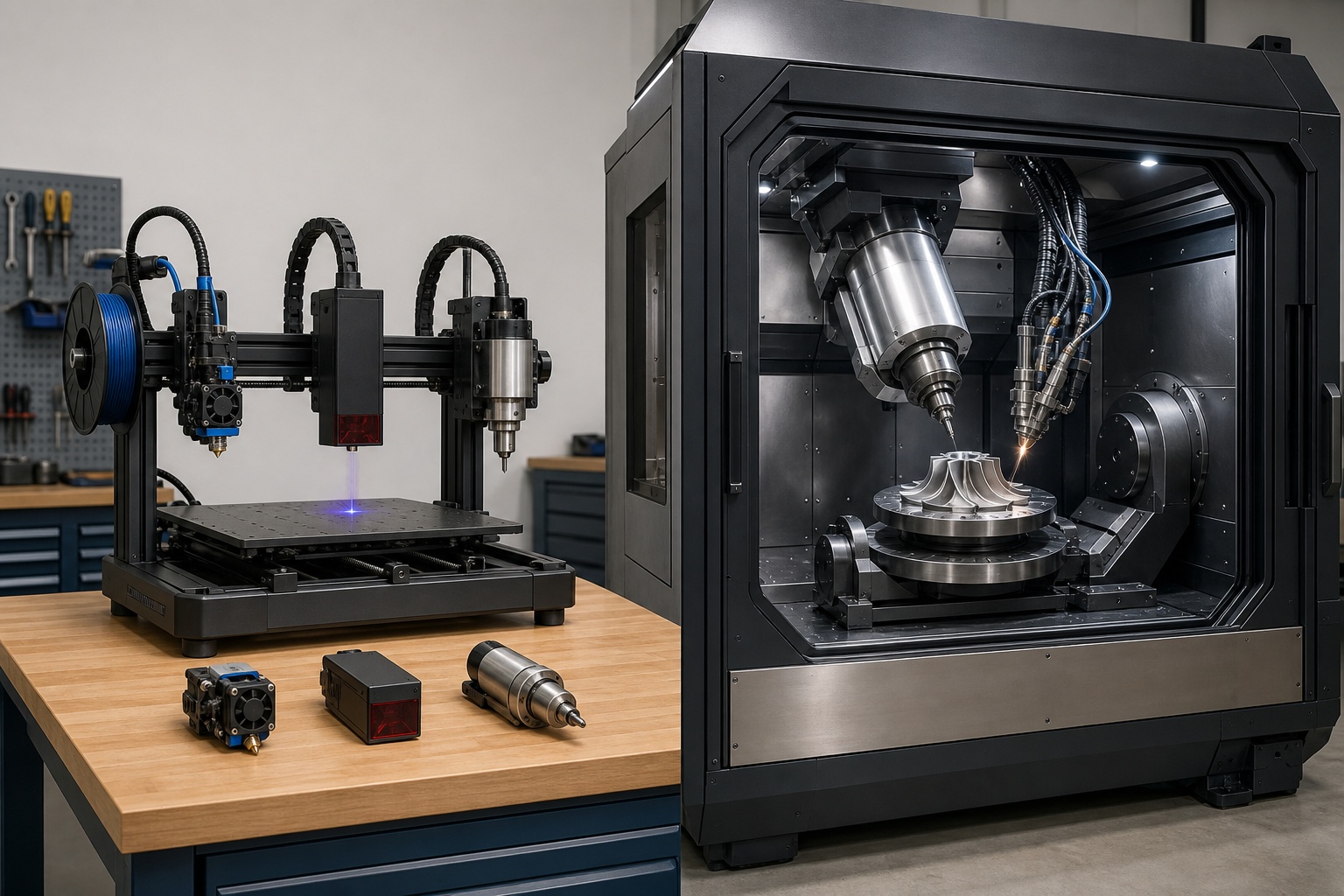
A hybrid 3D printer builds a part up and then cuts it down: additive manufacturing paired with at least one other process, almost always subtractive CNC milling. The part gets shaped and finished to tight tolerance without ever leaving the machine. But that single term hides two machines that share almost nothing. One is a $1,799–$4,500 desktop unit that swaps between printing, laser, and light CNC to save bench space. The other is a $250,000–$1.5 million industrial system that deposits metal and machines it in one setup for aerospace and repair work. Deciding "which hybrid" means first deciding which of those two problems you have.
The confusion runs deeper than price. "Hybrid" sounds like one machine doing everything at once. On every affordable desktop machine (Snapmaker, ZMorph) you swap tool heads and run one process at a time. Simultaneous or same-setup multi-process only exists on the industrial systems. Get those two distinctions straight and the buying decision mostly answers itself.
What a Hybrid 3D Printer Really Is
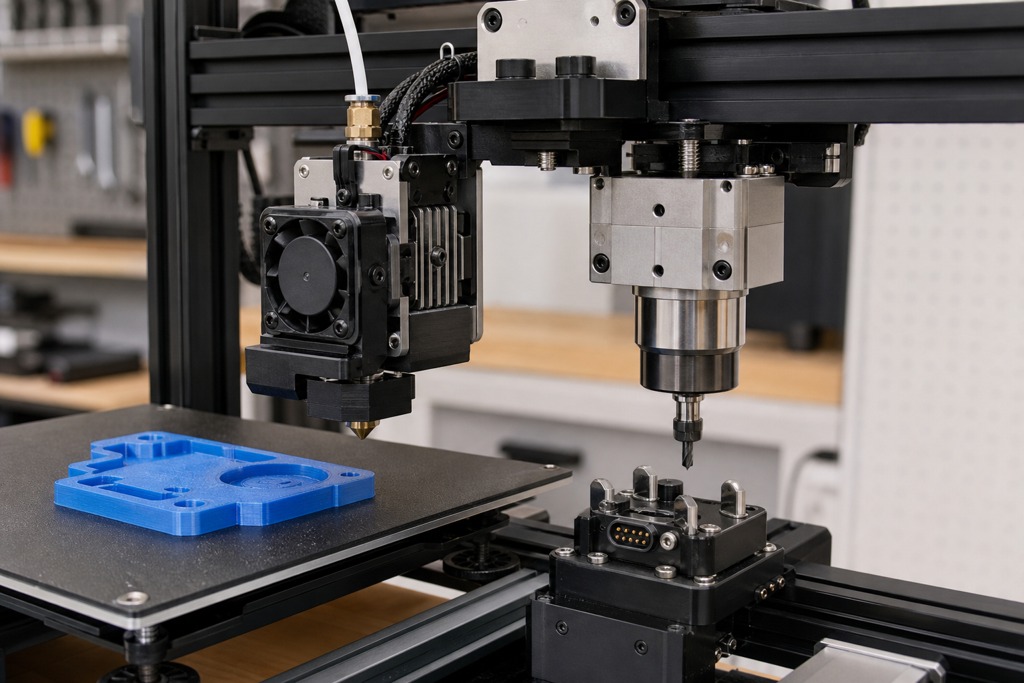
A hybrid 3D printer is any machine that pairs additive building, depositing material layer by layer, with a second fabrication process in the same work envelope. Most often that second process is CNC milling, sometimes laser engraving or cutting. The point is to reach surfaces and tolerances that printing alone cannot, ideally without unclamping the part.
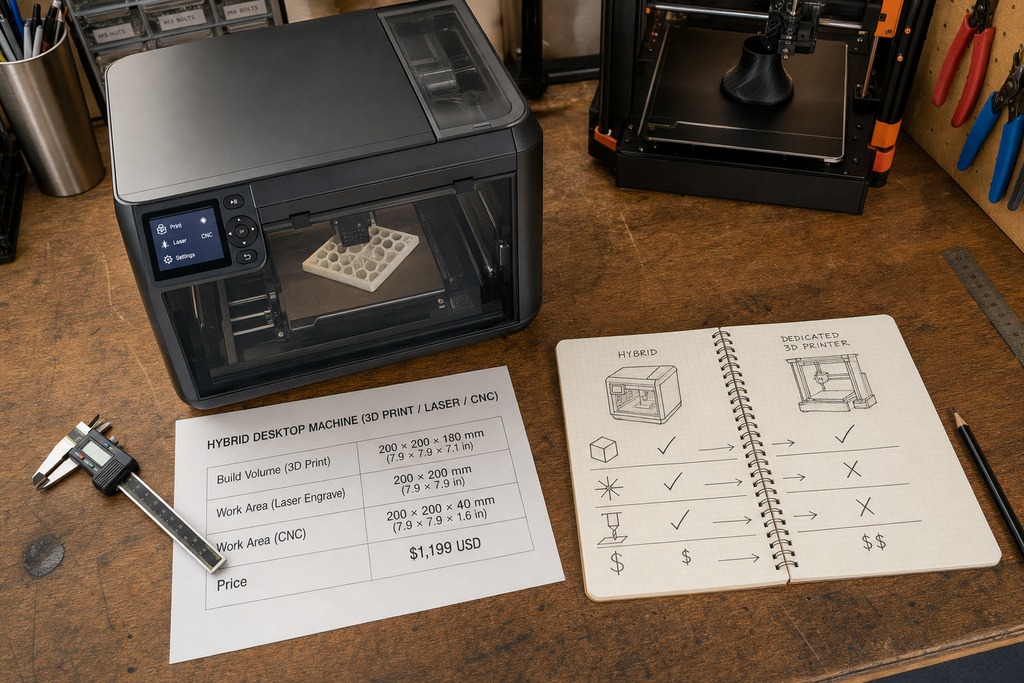
That said, "hybrid" gets applied to two mechanically different things, and the difference decides everything downstream. A true single-setup hybrid deposits material and machines it on a shared gantry: the part never moves, so its reference surfaces stay accurate. A tool-swapping multi-function machine does one job, stops, and waits for you to change the head before it does the next. Desktop machines are almost all the second kind. When a review calls a Snapmaker a "hybrid," it means multi-function, not simultaneous.
What is a hybrid 3D printer? A machine that integrates 3D printing with at least one other manufacturing process, usually subtractive CNC, either by swapping tool heads (desktop) or by depositing and machining in one fixed setup (industrial metal systems).
The Two Worlds That Share a Name
The market splits into two brackets that don't compete with each other. Sort yourself into the right row before comparing any specs.
| Category | Processes combined | Best for | Price range | Key limitation |
|---|---|---|---|---|
| Desktop 3-in-1 | FDM printing, laser, CNC routing | Makers, schools, prototyping | $1,799–$4,500 | Weaker and slower than any dedicated machine; one process at a time |
| Multi-material additive | Two printing processes (e.g. carbon-fiber core + polymer shell) | Functional printed parts | Varies widely | Does not necessarily include CNC or laser |
| Industrial metal hybrid | Metal deposition (DED/PBF) + 5-axis CNC | Aerospace, part repair, tooling | $250,000–$1.5M+ | Needs an industrial facility; not a scaled-up desktop unit |
These are different markets, not price tiers of one product. A Snapmaker cannot do what a DMG Mori does at any budget, and nobody buys a $500,000 metal hybrid to engrave plywood.
How the Two Mechanisms Differ
Desktop hybrids, such as the Snapmaker Artisan and ZMorph Fab, work by swapping tool heads. Industrial hybrids, like the DMG Mori LASERTEC 65 3D and Mazak INTEGREX i-400AM, work by keeping the part fixed while the machine changes what it does to it, with processes such as DED and CNC in one setup; that second point is the entire reason industrial hybrids exist.
On a desktop machine, you mount the extruder and print. Then you physically switch to a spindle or a laser module through the software, re-home, and run the next job. The processes are sequential, and the part is often re-clamped between them. Convenient: but every re-fixturing reintroduces the alignment error you were trying to avoid.
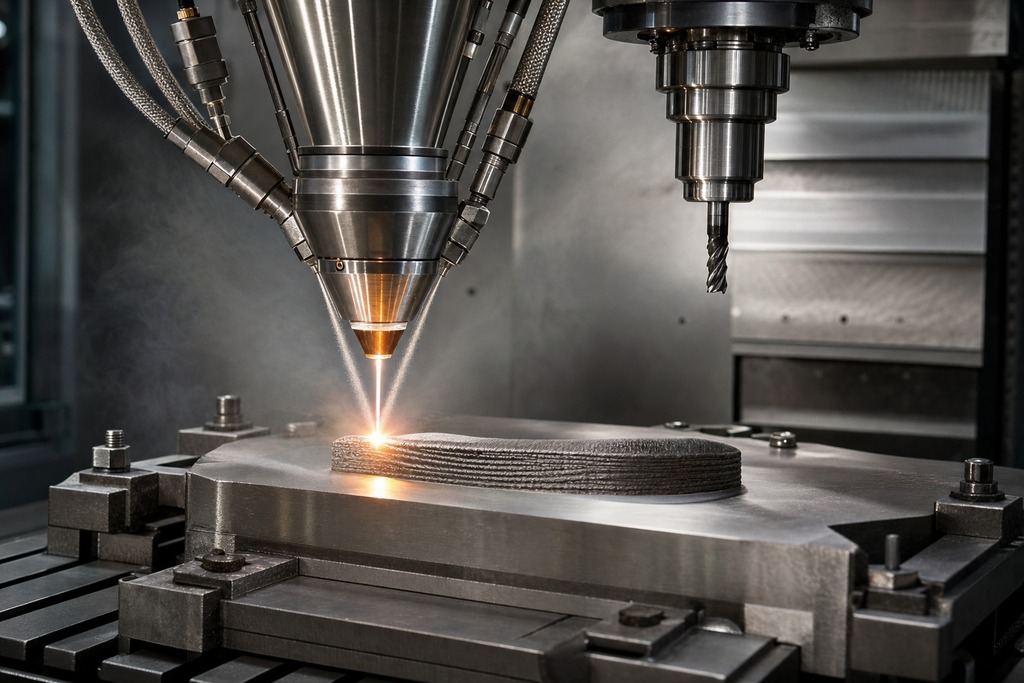
On an industrial metal hybrid, a laser deposition head and a milling spindle share one gantry. The machine blows metal powder or feeds wire, melts it, mills the freshly deposited layer smooth, drills a feature that will be buried once building resumes, then adds more metal: all while the workpiece stays clamped to the same datum. Not re-fixturing the part is the payoff: the machined features and the printed features reference the same origin, so tolerances hold across the whole build.
Types of Hybrid Processes
Hybrid systems pair additive and finishing steps in a handful of recurring combinations, each suited to different materials and part sizes.
| Process combo | How it builds | Materials | Typical use |
|---|---|---|---|
| FDM/FFF + CNC | Extrudes plastic, then mills it smooth | PLA, ABS, PETG, nylon, wood, wax, soft metals | Desktop prototyping, light tooling |
| DED + CNC | Laser melts blown powder or wire, then machines it | Titanium, Inconel, stainless, aluminum | Large metal parts, repair |
| WAAM + CNC | Welding-wire arc builds large metal shapes, then mills | Steel, titanium, aluminum | Big near-net-shape parts (RAMLAB, Meltio) |
| LPBF/powder bed + CNC | Laser fuses a powder bed, milling between layers | Maraging steel, tool steels | Molds with conformal cooling (Matsuura, Sodick) |
| Multi-material additive | Two printing processes in one build | Continuous carbon fiber + polymer | Stiff, lightweight functional parts |
| Additive + in-process inspection | Probing/laser scanning corrects geometry mid-build | Metals, polymers | High-value parts needing verified geometry |
Directed Energy Deposition and Wire Arc Additive Manufacturing dominate the metal side because both add material fast and pair naturally with milling. Multi-material additive is a different animal: it combines two printing methods rather than adding a subtractive step, so precise mating surfaces still need a separate operation.
Desktop and Prosumer Models
For plastics, wood, composites, and soft metals under roughly $4,500, four machines cover most buyers. All swap tool heads and run one process at a time.
| Machine | Processes | Build volume | Price range | Notable specs |
|---|---|---|---|---|
| Snapmaker Artisan | FDM + laser + CNC | Up to 400×400×400 mm (single nozzle) | $1,799–$2,499 | 50 W laser, dual extruder, 20,000 RPM spindle, 300°C max nozzle, up to 180 mm/s |
| ZMorph Fab | FFF + CNC + laser | 235×250×165 mm | Prosumer tier | 0.05–0.4 mm layers, 250°C nozzle, 100°C bed |
| Makera Carvera | 4-axis CNC + FDM + laser | 220×220×150 mm | $3,500–$4,500 | Automatic tool changer, 1.6 W / 10 W laser options |
| Bantam Tools Desktop | CNC + PCB milling | 130×130×50 mm | ~$3,600 | 30,000 RPM spindle; CNC-first, paired with printing workflows |
The Snapmaker Artisan is the large integrated workstation of the group. It runs dual-extrusion printing across PLA, PETG, ABS, ASA, nylon, TPU, and reinforced nylons, plus laser and CNC modules with quick-change heads. Its CNC is meant for wood, plastics, composites, and light engraving: not steel. The ZMorph Fab trades build volume for a smaller footprint that fits labs and classrooms. The Stepcraft D-series and Snapmaker 2.0 and J1 round out the tool-changing and modular options for tighter budgets and education.
A hard boundary: none of these cut serious metal. Their spindles handle wood, plastics, and soft aluminum or brass at most. Ask a desktop hybrid to machine steel and it will chatter, deflect, or stall.
Industrial Metal Systems
These deposit metal and finish it to final tolerance in one setup, priced from roughly $300,000 into the millions. They are production and repair machines, not upgrades to a desktop unit.
| Machine | Processes | Work envelope | Price range | Notable specs |
|---|---|---|---|---|
| DMG Mori LASERTEC 65 3D | Metal DED + 5-axis CNC | 650 mm dia. / 630×630×500 mm milling | $500K–$1M+ | 2 kW deposition laser, spindle to 20,000 RPM, titanium/Inconel/aluminum |
| Mazak INTEGREX i-400 / i-400AM | DED laser cladding + turn-mill | 400 mm turning dia. | $500K+ | Dual laser heads, aimed at turbine-blade repair |
| HMT AMT550 | Wire/laser DED + 5-axis CNC | 500×500×500 mm | $300K–$600K | Surface finish down to Ra 0.8 µm |
| Okuma MU-8000V LASER EX | DED + heat treatment + 5-axis | 5-axis machining envelope | Industrial | Combines deposition, heat treat, and machining on one platform |
| Meltio M600 | Wire-laser DED + CNC integration | Compact | More affordable metal tier | Wire-fed, lower running cost than powder DED |
Matsuura LUMEX and Sodick OPM take the powder-bed route for injection-mold tooling with buried cooling channels. SPEE3D's WarpSPEE3D uses high-speed cold-spray deposition finished by CNC. Optomec LENS, Additec's Hybrid series, ProtoQ's AM1, and RAMLAB's robotic WAAM cells cover repair, compact deposition, and large-scale metal building respectively. Hybrid Manufacturing Technologies even sells add-on deposition heads that turn an existing CNC into a metal hybrid. Where sources report a laser rating, the DED lasers cluster around 2 kW; treat any single headline number as machine-specific and confirm it against the vendor datasheet.
What You Actually Gain
The benefits are real, but they belong to specific stages of the process: don't credit the printing step with the machining step's numbers.
| Benefit | Concrete figure |
|---|---|
| Precision from the CNC pass | Printing lands ±0.1–0.5 mm rough; machining reaches ±0.01–0.05 mm with mirror finish |
| Lead time from no re-fixturing | Workflows cut 50–80% by skipping the move to a separate machine |
| Material savings | Near-net-shape building wastes far less than milling a solid billet |
| Part repair | Rebuild worn turbine blades or gear teeth with DED, then mill back to OEM spec |
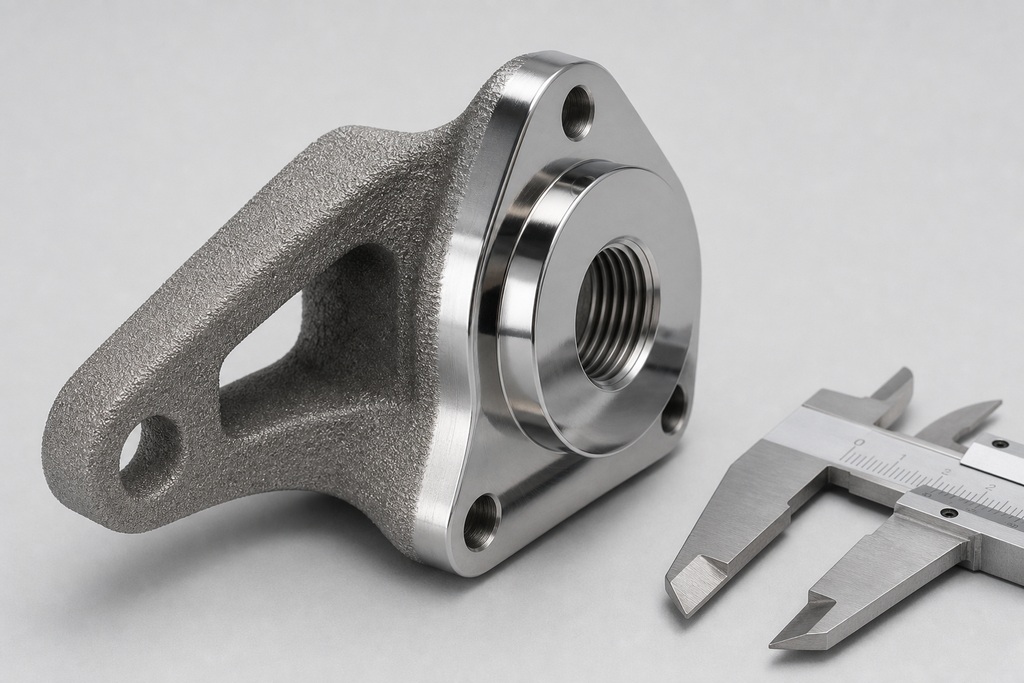
The precision figures describe two different moments. The printed body still carries ±0.1–0.5 mm deviation and a rough finish; only the milled features hit ±0.01 mm. A hybrid gives you both: complex internal geometry from printing, exact mating faces and threaded holes from machining: not a printed part that magically comes out to CNC tolerance.
Trade-offs and Challenges
The convenience carries real costs, and they scale sharply with the metal systems. Before committing, weigh these:
- Capital cost. Industrial hybrids run $250,000 to $1.5 million, out of reach for most small shops.
- Contamination management. Metal powder plus CNC swarf in one chamber is a fire and oxidation hazard; industrial machines need sealed argon or nitrogen chambers and heavy vacuum extraction.
- Software complexity. A hybrid needs Computer-Aided Manufacturing software that plans additive and subtractive toolpaths together without collisions: Siemens NX, hyperMILL, or Mastercam hybrid modules, plus staff who can run them.
- Thermal stress. Metal DED builds up residual stress that distorts parts if not controlled.
- Throughput. Every hybrid is slower per part than a dedicated machine and poorly suited to high-volume runs.
- Material limits. No single machine runs every material well in both modes.
Applications by Industry
Hybrid manufacturing earns its cost on high-value, low-volume, geometry-heavy parts: the ones where re-fixturing risk or material waste dwarfs the machine premium.
- Aerospace and defense. Turbine-blade repair, titanium blisks, lightweight structural brackets, and field repair of high-value components.
- Medical and dental. Titanium or PEEK implants with porous printed interiors for bone ingrowth and CNC-machined mating surfaces for exact surgical fit.
- Mold and die. Injection molds with printed conformal cooling channels and machined cavities and parting lines.
- Tooling and fixtures. Custom jigs and end-of-arm tooling for automation lines.
- Energy and marine. Large propellers, pump housings, and valves built near-net-shape then finished.
Who Should Not Buy a Hybrid
If 3D printing is more than roughly 80% of your expected work, do not buy a hybrid: a dedicated printer gives better speed, quality, and value for the money you'd spend on modules you rarely use. The multi-function convenience only pays off when your job mix genuinely spans printing, engraving, and light CNC on a regular basis.
Separate machines beat a desktop hybrid whenever you need fast production, thick-material laser cutting, rigid and accurate CNC, or several processes running at the same time. A desktop hybrid does none of those at professional grade: it does each acceptably, one at a time, in the space of one machine. And an industrial metal hybrid is wrong for anyone without an industrial facility: the inert-gas chambers, powder and chip handling, and advanced CAM staff are prerequisites, not optional extras.
The honest steer on which to buy: choose the Snapmaker Artisan for a large, integrated maker workstation that prints, engraves, and does light CNC in one footprint. Choose the ZMorph Fab for a smaller professional or education setup. Buy a dedicated printer if printing dominates your work. And step up to a metal hybrid only when precision, single-setup repair, or one-fixturing on high-value metal parts is the actual problem you're solving.
FAQ
What is hybrid 3D printing?
Hybrid 3D printing combines additive manufacturing, building a part up layer by layer, with at least one other process, most often subtractive CNC milling, in the same machine. It lets you print complex geometry and then machine critical surfaces to tight tolerance, either by swapping tool heads (desktop) or depositing and cutting in one fixed setup (industrial metal systems).
What is the holy grail of 3D printing?
The phrase usually points to fully functional, multi-material parts printed in one operation with no post-processing: think embedded electronics or graded metal-to-polymer structures straight off the machine. That goal sits outside the hybrid-machine category covered here; today's hybrids get closer to it by adding a machining or inspection step, not by eliminating post-processing entirely.
Can I legally sell 3D prints?
Generally yes, if the design is your own or licensed for commercial use — but this depends on copyright, trademark, and patent status rather than the machine you print on. It's a rights question, not a hybrid-printer question. Confirm the license on any model you didn't design before selling.
Why is 3D print failing?
Print failures, common in FDM printing used by desktop hybrids, often trace to first-layer adhesion, temperature, or motion issues (an unlevel bed, wrong nozzle or bed temperature, clogs, or under-extrusion), none of which are specific to hybrid machines. On a tool-swapping hybrid, the extra failure mode is skipping proper re-homing or re-calibration after switching heads, which throws off alignment on the next job.
Extruder calibration calculator
A shortfall is a measurement, not a verdict. Use one controlled test, then let the ratio set the next value.
Formula: new value = current value × commanded amount ÷ measured amount.
For E-steps, measure filament travel with the nozzle hot and extruding freely. For flow, use a repeatable wall-thickness or weighed-extrusion test; correct mechanics first. Continue at the calibration hub.
References
- Snapmaker — Official Snapmaker Artisan specifications
- ZMorph — Official ZMorph Fab specifications
- DMG Mori — LASERTEC 65 3D hybrid product data
- Okuma — Hybrid machines (LASER EX / MU-8000V)
- Additec — Hybrid Series
- ProtoQ — AM1 system overview
- Siemens NX, hyperMILL, and Mastercam — hybrid CAM module documentation